




Home Appliances

Home Appliances
Home Appliances
Home Appliances
Home Appliances
Home Appliances
Home Appliances
Home Appliances
LED TV Price in Pakistan — Shop Smart with Emirates Electronics
You’re in the right place to compare and buy LED TVs in Pakistan with confidence. On this page, you’ll find an easy way to choose by size, resolution (Full HD/4K), smart platforms (Android TV, Google TV, Tizen, webOS), and use case (gaming, cricket, movies, signage). We stock popular brands and provide guidance for Pakistani homes and businesses — from small apartments to cafés and offices. Prices on individual products can change with brand promotions and exchange rate movement; always rely on the live price shown on each product tile. Need help right now? Call 0339-2009000 or visit us at Office No. 206, 2nd Floor, Seema Electronics Centre, Abdullah Haroon Road, Saddar, Karachi for quick advice and pickup options.
Shop by Size
Choosing the right size is the fastest way to narrow your options. A good rule of thumb is to match screen size with viewing distance and room layout. Below, we break down the most-bought sizes in Pakistan with plain-English tips for bedrooms, lounges, hostels, and shops. If you’re planning to wall-mount, we can suggest low-profile or tilt mounts and help with basic installation coordination (details later in Services).
32-inch LED TV
A 32-inch TV fits best in small bedrooms, hostels, and kitchens where the viewing distance is around 6–8 feet. Most models in this size are HD-Ready or Full HD and are perfectly fine for cable/satellite, YouTube, and everyday streaming. Smart/Android options give you popular apps and screen casting, which is useful for watching lectures or kids’ content in a compact space.
For Pakistani homes with frequent power cuts, a 32-inch panel is easier to run on a UPS or inverter compared to larger screens. If you’re mounting above a dresser or in a hostel room, consider a tilt mount to reduce glare from tube lights or windows. For sound, the built-in speakers are adequate for near-field listening; you can always add a basic sound bar later if needed.
40–43-inch LED TV
This size range is the sweet spot for apartments and mid-size lounges with a viewing distance of about 7–9 feet. You’ll find more Full HD and 4K choices here, plus better motion handling for cricket and football. If you stream a lot, Android/Google TV models make app setup and voice search simple, while brand platforms like Tizen and webOS feel very responsive.
Gamers on a budget often start here — look for low input lag and at least 60Hz refresh, with gaming modes that reduce processing. In Pakistani apartments, wall space can be tight; a 43-inch on a fixed mount keeps things tidy and safe. If your sofa is off-center, pick a panel with good viewing angles (often IPS/ADS types) to keep colors consistent across the room.
50–55-inch LED TV
At 50–55 inches, you get a real step-up in cinematic feel for family lounges and drawing rooms (ideal distance ~8–10+ feet). Most models are 4K with HDR support; even regular HD channels upscale nicely if the TV’s processor is decent. For weekend movie nights, pair with a sound bar to boost dialogue clarity — especially useful in tiled floors or larger rooms where audio disperses.
If you’re into sports or action films, check for strong motion processing and optional 120Hz models (where available) for smoother panning. In Pakistani homes, consider wiring before mounting: plan the route for broadband/TV box power and think about an extension outlet behind the unit to keep cables hidden. If you use an inverter, confirm wattage draw for this size with your electrician.
65-inch LED TV
For spacious lounges, double lounges, or small home-cinema corners, 65 inches delivers a dramatic upgrade (typical distance ~10–12 feet). You’ll find better HDR performance, local dimming on some models, and brighter panels that hold up in daylight. If you love PSL matches or 4K Netflix, this size makes details pop without needing to sit too close.
Wall stability and mount quality matter more here. We recommend a heavy-duty mount and a proper stud/anchor check, particularly in older Karachi apartments and houses. If you plan console gaming (PS5/Xbox), look for 4K at 120Hz on supported ports and features like ALLM (Auto Low Latency Mode). For sound, a mid-range sound bar with a subwoofer helps fill larger rooms without going into a complex home-theatre setup.
75-inch and Above
Go big for luxury lounges, boardrooms, and commercial spaces where the viewing distance is 12+ feet. 4K is standard here; brighter panels, advanced local dimming, and wider color often appear on higher-tier models. These screens can double as signage in cafés and retail — with built-in casting for menu loops or promotional videos.
Before you choose 75+ inches, measure doorways, lifts, and stairwells if you live in a multi-storey building. Delivery planning is key for safe handling. In offices and cafés, think about burn-in prevention (use a screen saver for static logos) and schedule downtime. For home use, consider a floating console or in-wall cable management for a clean, premium look. We can guide you on brackets and basic setup so the installation day goes smoothly.
Price Guide by Size & Spec
Prices move with exchange rate, promotions, and model-year refreshes. Use the live price on each product tile as the source of truth. The ranges below reflect what shoppers in Pakistan typically see as of November 3, 2025 and help you shortlist quickly.
Smart / Android LED TV price in Pakistan
Smart TV simply means the TV can run apps (YouTube, Netflix, Prime Video, etc.) without an external box. Most smart sets in Pakistan run Android TV or Google TV, while some brands use their own platforms. Typical price patterns:
- 32 inch Smart LED TV: usually in the Rs. 40,000–55,000 band for HD/Full HD with basic smart features. Expect Wi-Fi, casting, and entry-level HDR support on some models.
- 40–43 inch Smart LED TV: commonly Rs. 70,000–125,000 depending on Full HD vs 4K, panel quality, and processing. Android/Google TV models sit near the upper half of the band.
- 50–55 inch Smart LED TV: expect around Rs. 125,000–185,000 for 4K entries; premium or QLED variants can go higher.
- 65 inch Smart LED TV: mainstream 4K models usually Rs. 170,000–330,000; step-up lines with better brightness/local dimming cost more.
- 75 inch Smart LED TV: larger panels often start around Rs. 400,000+, with wide variance by brand/series.
What pushes price up? Newer panel tech (QLED/OLED/Mini-LED), higher brightness for daylight rooms, 120Hz/VRR for gaming, better processors for upscaling, and extended warranties.
4K LED TV price in Pakistan
4K models dominate from 43 inches and up. If you stream in 4K or sit close to the screen, 4K pays off in sharpness and HDR detail. Typical current ranges:
- 43 inch 4K: ~Rs. 90,000–125,000 for mainstream lines; QLED and higher-brightness sets can cost more.
- 55 inch 4K: ~Rs. 130,000–200,000 for value and mid-range; premium tiers can extend beyond this.
- 65 inch 4K: ~Rs. 170,000–330,000 in mainstream lines; upper-mid models with better dimming/brightness climb higher.
- 75 inch 4K: commonly Rs. 420,000–575,000 and up, depending on brand and series.
Notes: Official brand stores sometimes list promotional starting prices, but real-world pricing will vary by exact model, availability, and warranty. Always confirm on the product tile before checkout.
Best-value picks this month (what to look for)
Instead of chasing model codes, use this value checklist to land the “sweet spot” for your budget:
- For small rooms (32″): aim for a Smart/Android TV with reliable Wi-Fi, 2× HDMI, and solid app support — typically in the Rs. 40–55k range. Prioritize brand warranty over niche extras.
- Balanced lounge setup (43″ 4K): Android/Google TV, decent HDR, and strong upscaling in the Rs. 90–125k corridor. Great for streaming, cricket, and casual console gaming.
- Family-cinema feel (55″ 4K): look near Rs. 130–185k for better contrast and sound; add a sound bar later for dialogue clarity.
- Bigger rooms (65″ 4K): consider brightness and local dimming; mainstream lines around Rs. 170–330k cover most needs.
- Showpiece size (75″): step-up processing and dimming help with daylight viewing; budget from ~Rs. 420k+. Measure doors/lifts for delivery access.
Reminder: Live prices on this category page are the final reference; ranges above are indicative to help you filter fast.
Display Technologies — Simple & Practical
Here’s a quick, no-jargon tour of today’s TV tech so you can match features to your space and habits in Pakistan.
LED vs QLED vs OLED vs Mini-LED
- LED (LCD with LED backlight): the mainstream choice. Good brightness and durability with wide model variety. Best value for everyday cable/streaming.
- QLED (quantum-dot LED): adds a quantum-dot layer for richer color and higher brightness — helpful in bright lounges and for cricket/daytime TV. Often the value upgrade over basic LED.
- OLED (self-lit pixels): exceptional contrast and deep blacks for cinema lovers and night viewing. Mind static logos (news tickers/menu boards) if you run the same content for many hours daily.
- Mini-LED: still an LCD, but with many tiny LEDs for more granular dimming. Great peak brightness and improved black levels for HDR sports and movies in brighter rooms.
Which to choose? If you watch cricket in a sunlit room, QLED or brighter Mini-LED helps. If you’re a late-night movie fan, OLED delivers the most cinematic experience. For tight budgets or hostels, mainstream LED models are perfectly fine.
Refresh rate (60/120Hz) for sports & gaming
60Hz is standard and works well for TV channels and streaming. 120Hz panels show motion more smoothly — noticeable in fast sports and high-frame-rate gaming. Also look for:
- ALLM (Auto Low Latency Mode): auto-switches the TV to a low-lag mode for consoles.
- VRR (Variable Refresh Rate): syncs with supported consoles/PCs to reduce tearing.
- Good motion processing: brands label this differently (MEMC/TruMotion/MotionFlow, etc.). Try disabling heavy smoothing for films to avoid the “soap-opera” effect.
In Pakistan, 120Hz features appear from certain 55-inch and many 65-inch models upward. If you’re a serious gamer, confirm 4K@120Hz support on at least one HDMI port and keep cable length reasonable.
HDR formats made simple (HDR10, HLG, Dolby Vision)
- HDR10: the baseline; works on most 4K TVs and streaming apps.
- HLG: used for broadcast HDR (sports/demos where available).
- Dolby Vision: dynamic metadata for scene-by-scene tuning; shines on brighter TVs and OLEDs. You’ll see Dolby-Vision titles on Netflix and other major apps in Pakistan (subscription dependent).
Tip: To “see” HDR, combine a capable TV, HDR-ready content, and a fast internet connection. If your room has bright daylight, prioritize a brighter panel (QLED/Mini-LED) so HDR highlights don’t look washed out.
Smart Platforms & Apps in Pakistan
Nearly all modern TVs are “smart,” but the experience varies by platform and brand. The goal is simple: open your favorite apps quickly, play smoothly, and keep everything easy for the whole family. Below we explain the three main platforms you’ll see on LED TVs in Pakistan and how to choose between them without overpaying.
Android TV / Google TV
Android TV and Google TV share the same backbone and the Google Play ecosystem. Google TV adds a more content-centric home screen and better personalization, but app support is similar across both. You’ll find crowd favorites like YouTube, Netflix, and Prime Video, plus built-in Chromecast for casting from your phone or laptop. Voice search with “OK Google” is handy for kids’ shows and quick lookups.
On value-focused brands, Android/Google TV often gives you the best app coverage for the price. It’s also a friendly pick if you already use Android phones or have a home full of Google services. For smoothness, look for TVs with adequate RAM/storage (varies by model) and keep your apps updated. If your internet is inconsistent, set streaming apps to “Auto” or “Data Saver” so they adapt quality instead of buffering.
Tizen (Samsung)
Tizen powers Samsung’s smart TVs. It’s known for a clean interface, fast navigation, and broad app availability. You’ll get screen mirroring from compatible devices, quick access to popular Pakistani streaming apps, and responsive menus that feel snappy even on mid-range models. If you’re building a Samsung-centric setup (sound bars, phones), Tizen integrates nicely with those devices.
Setup is straightforward: connect Wi-Fi, sign in to key apps, and pin favorites to the home bar for one-click access. If you have kids at home, explore profile controls and app PINs. For cricket and sports fans, combine Tizen’s motion settings with your TV’s “Sports” or “Natural” picture presets to keep motion smooth without making films look artificial.
webOS (LG)
webOS (LG) is praised for its simple launcher and “cards” layout that makes inputs, apps, and settings easy to reach. Magic Remote models allow point-and-click navigation, which is great for seniors or anyone who hates typing with arrow keys. Supported apps cover the essentials, and you’ll find useful “Quick Settings” overlays to tweak picture or sound without leaving what you’re watching.
If you’re the home’s tech support, webOS makes routine tasks painless: pairing Bluetooth headphones, renaming HDMI inputs, or enabling “AI Sound” for clearer dialog. For late-night bingeing, try webOS sound modes that lift voices at low volume. And if you connect a console, switch to Game mode for lower input lag (exact features vary by model series).
Brand Spotlights (What Each Is Generally Known For)
Every brand brings slightly different strengths. Use the notes below to match your household’s habits to the right lineup, then dive into the brand pages to see live models and prices.
Samsung
Samsung’s strength is bright, punchy picture quality and smooth smart performance via Tizen. Many mid-range models deliver excellent daytime viewing for cricket and talk shows, while step-up lines bring higher brightness and improved local dimming for HDR movies. If your lounge has big windows, Samsung’s anti-reflection treatments (varies by model) help cut down glare.
Start browsing here: Samsung LED TVs. This brand page is the fastest way to scan sizes, series, and live prices on Emirates Electronics.
LG
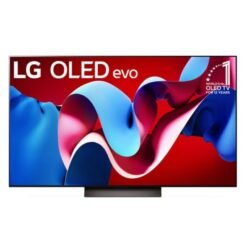
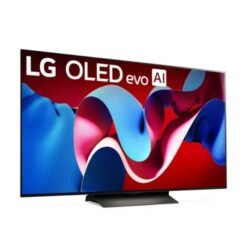
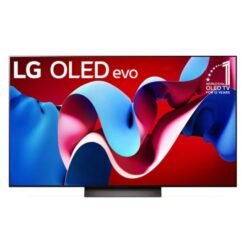
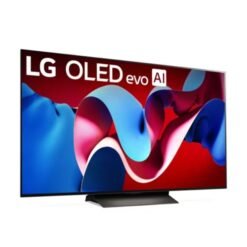
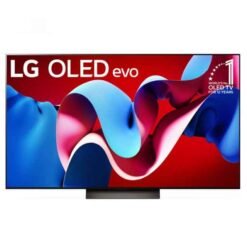
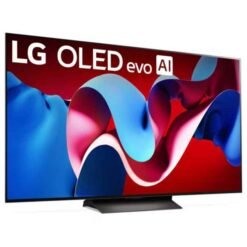
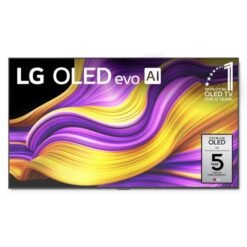
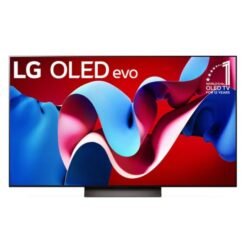
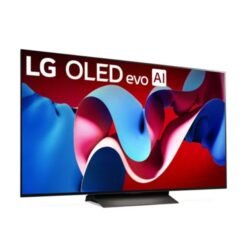
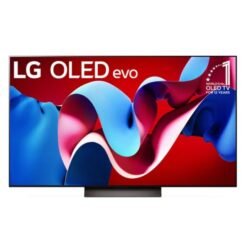
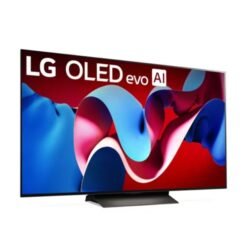
LG is known for webOS simplicity and, in higher tiers, OLED models with superb contrast for movie-night purists. In mainstream LED lines, you still get user-friendly smart features, wide app support, and picture presets that are easy to tune. If your room lighting is controlled and you watch a lot of films at night, LG’s cinema-oriented presets can look especially natural.
Explore current availability: LG LED TVs. Use the filters on the left (size, resolution) to shortlist quickly by your room size and budget.
TCL / EcoStar / Hisense (Value Leaders)
These brands often deliver excellent value per inch, with many models on Android TV or Google TV for strong app coverage. TCL’s QLED lines are popular for brighter color in bright rooms; EcoStar and Hisense frequently compete hard on price for 43–65 inch sizes. If you’re focused on maximum size and features for a set budget, start here and check panel specs, warranty, and ports.
Tip for value hunters: focus on the picture basics first (panel type, brightness, HDR support), then add a sound bar later to elevate dialog and bass without jumping to a higher TV series.
Shopping Tools (How to Shortlist Fast)
With dozens of models in similar sizes, the trick is to filter systematically and read product tiles the smart way. Use this section as your quick decision framework when browsing.
Use Quick Filters First
Start with Size (based on your viewing distance), then pick Resolution (Full HD for 32″; 4K from 43″ upward), then choose the Platform you prefer (Android/Google TV, Tizen, webOS). This sequence instantly narrows the grid to relevant options. If gaming is important, add a refresh-rate or “gaming” capability filter where available; otherwise, open the product page and check for terms like “ALLM,” “Game Mode,” or “120Hz.”
Reorder the listing for your goal: sort by price to find the cheapest qualified model, or sort by newest to see the latest series first. If you’re undecided between two sizes (say 43″ vs 50″), keep both filters active and compare wattage, bezel size, and wall space required before finalizing.
How to Read Product Tiles Like a Pro
On each product tile, scan for key signals: platform (Android/Google TV, Tizen, webOS), HDMI count and version (for consoles or sound systems), and HDR support (HDR10/HLG/Dolby Vision where applicable). The live price on the tile is your reference — promotions and exchange rates can shift, so treat price tables and “typical ranges” as orientation only.
Open the full product page to check warranty terms and any installation notes. For family rooms, look for basic cable management tips or photos showing ports orientation; that will save time on wall-mount day. If you plan to add better audio, consider a matching Sound Bar category browse; many customers upgrade audio a few weeks after buying the TV for clearer dialog.
Stock & Support
If a model shows “in stock,” it usually means faster dispatch or pickup; if not, check similar alternatives in the same series size-up or size-down. Not every store supports installments on every model at all times, so if you need a plan, call 0339-2009000 to confirm current partners and terms for the exact TV you’ve shortlisted. That phone call also helps you ask about delivery timing to your area and optional wall-mount guidance.
For a complete living-room upgrade, pairing the TV with a brand-matched sound bar can simplify remote control and connection (eARC/ARC). If you’re in the Samsung ecosystem, browse Samsung Sound Bars for tight integration and clean setup.
Services in Pakistan
We keep the buying experience simple and transparent for shoppers across Pakistan. Here’s how delivery, installation, warranty, and returns typically work. For anything specific to your address or model, please call 0339-2009000.
Delivery & Installation
Nationwide delivery: We ship across Pakistan via trusted courier partners. Delivery time depends on your city and the TV size. Larger sizes (65″ and above) may require scheduling for safe handling. When the parcel arrives, inspect the outer box before accepting delivery; if you notice visible damage, ask the rider to record it and contact us immediately.
Installation: Wall-mounting is optional and charged separately. We can guide you to compatible brackets and basic mounting support. For complex setups (concealed wiring, reinforced walls), we recommend engaging a qualified installer or the brand’s authorized service where available.
Warranty & Invoice
Brand warranty: Coverage is provided by the manufacturer according to the model/series. Always keep your original invoice and warranty card; the service center will ask for them. Warranty terms (panel, parts, labor) vary by brand and model line.
After-sales support: If you face any issue during setup or within the warranty period, call us and we’ll guide you on the next steps (self-check tips, documentation, and the correct service channel).
Returns Basics
Returns and exchanges follow our store policy. In general, unopened items in original condition are easier to process; open-box or used items may be restricted. Dead-on-arrival (DOA) cases are handled on priority in coordination with the brand’s service network. For clarity on the return window and eligibility for your specific model, please call before you unbox.
Payment & Installments
We support common payment methods and we understand that many shoppers prefer an installment option for larger screens.
Cash / Card / Transfer
You can pay by cash (in-store), card (where supported), or bank transfer. For transfers, keep the proof of payment handy and include your order number as the reference to speed up processing.
LED TV on Installment in Pakistan
Installment plans may be available on select models and through select partners. Because availability changes, the quickest way to confirm is to call 0339-2009000 with the exact TV you’re considering. We’ll check live options, down payment requirements (if any), duration, and documentation so you can decide comfortably.
Use-Case Guides (Pick What Fits Your Life)
Match your shortlist to how you actually watch TV. These quick guides help you choose confidently without overpaying for features you won’t use.
For Gaming
Look for low input lag, “Game Mode,” and, if you have a PS5/Xbox Series X, check for 4K@120Hz on at least one HDMI port. VRR support is a bonus for smoother gameplay. Keep cable runs short and use certified high-speed HDMI for best results.
If you play in a bright room, prioritize a brighter panel (QLED/Mini-LED). For late-night sessions, enable “Dynamic Black Equalizer” or similar visibility features (naming varies by brand) to lift shadow detail in dark scenes.
For Sports (Cricket, Football)
Good motion handling at 60Hz is enough for most broadcasts, but 120Hz sets can look smoother in fast pans. Try “Sports” or “Natural” mode for live matches, then switch back to “Cinema/Movie” for films to avoid the soap-opera effect.
Daylight viewing? Choose higher brightness and anti-reflection treatments (varies by model). Sound bars with a center channel help keep commentary clear in noisy rooms.
For Cinema Lovers
OLED shines for deep blacks and accurate color in dark rooms. Mini-LED and higher-tier QLEDs bring punchy HDR in brighter lounges. Use “Filmmaker/Cinema” modes as a baseline and only tweak backlight/brightness to suit your room.
Pairing with a sound bar elevates dialogue and effects without a full home-theatre setup. Consider a model with eARC for easy one-remote control and lossless audio pass-through.
For Small Rooms & Hostels
Stick to 32–43 inches, prioritize Smart/Android TV for easy apps, and keep an eye on Wi‑Fi stability. A simple tilt mount helps with glare and frees up desk space.
If you use a UPS/inverter, check typical wattage draw on the product page and avoid maxing out your backup system with large screens and high backlight settings.
For Shops & Cafés (Digital Signage)
Plan for durable mounting, cable management, and screen-saver intervals to reduce static logo retention. Choose brighter panels for daylight visibility and keep a spare remote/batteries on site. For looping menus or promos, use built-in casting or a small media player on HDMI.
FAQs
What is the LED TV price in Pakistan right now?
Use the live price on each product tile as your reference. As a quick orientation, many shoppers find 32″ Smart TVs in the Rs. 40–55k range, 43″ 4K around Rs. 90–125k, 55″ 4K near Rs. 130–185k, and 65″ 4K in the Rs. 170–330k corridor. Larger 75″ screens often start near Rs. 400k+. Exact pricing depends on brand, series, stock, and promotions.
Smart LED TV price in Pakistan vs Android LED TV — what’s the difference?
“Smart” is the umbrella term for TVs that run apps. Android/Google TV is one type of smart platform with Google Play apps and built‑in Chromecast. Other brands use Tizen (Samsung) or webOS (LG). Pick the platform whose apps and interface you prefer.
Is a 4K LED TV worth it over Full HD for 43 inch?
Yes if you stream 4K or sit relatively close; you’ll notice extra sharpness and better HDR. If you mainly watch SD/HD cable from a distance, a well‑tuned Full HD set can still look good, but 4K is more future‑proof.
32 inch / 43 inch / 55 inch LED TV price in Pakistan — typical ranges?
Indicative bands often seen by shoppers: 32″ Smart ~ Rs. 40–55k, 43″ 4K ~ Rs. 90–125k, 55″ 4K ~ Rs. 130–185k. Treat these as guidance only; rely on the product tile for the final price.
Samsung / TCL / EcoStar / Hisense LED TV price in Pakistan — how to compare fairly?
Compare by size, panel type, brightness, motion features, warranty, and smart platform. Brand‑to‑brand price differences often reflect picture processing and build. If two models look similar on paper, check store display, reviews, or ask us for a side‑by‑side spec rundown.
Best LED TV in Pakistan for cricket/gaming under a budget?
For cricket in bright rooms, look for QLED/Mini‑LED brightness and decent motion processing. For gaming, prioritize low input lag and 4K@120Hz if your console supports it. Within a set budget, pick the model that nails these basics first, then add a sound bar later if you want a bigger upgrade in impact.
Use the live price on each product tile as your reference. As a quick orientation, many shoppers find 32″ Smart TVs in the Rs. 40–55k range, 43″ 4K around Rs. 90–125k, 55″ 4K near Rs. 130–185k, and 65″ 4K in the Rs. 170–330k corridor. Larger 75″ screens often start near Rs. 400k+. Exact pricing depends on brand, series, stock, and promotions.“Smart” is the umbrella term for TVs that run apps. Android/Google TV is one type of smart platform with Google Play apps and built‑in Chromecast. Other brands use Tizen (Samsung) or webOS (LG). Pick the platform whose apps and interface you prefer.Yes if you stream 4K or sit relatively close; you’ll notice extra sharpness and better HDR. If you mainly watch SD/HD cable from a distance, a well‑tuned Full HD set can still look good, but 4K is more future‑proof.Indicative bands often seen by shoppers: 32″ Smart ~ Rs. 40–55k, 43″ 4K ~ Rs. 90–125k, 55″ 4K ~ Rs. 130–185k. Treat these as guidance only; rely on the product tile for the final price.Compare by size, panel type, brightness, motion features, warranty, and smart platform. Brand‑to‑brand price differences often reflect picture processing and build. If two models look similar on paper, check store display, reviews, or ask us for a side‑by‑side spec rundown.For cricket in bright rooms, look for QLED/Mini‑LED brightness and decent motion processing. For gaming, prioritize low input lag and 4K@120Hz if your console supports it. Within a set budget, pick the model that nails these basics first, then add a sound bar later if you want a bigger upgrade in impact.
