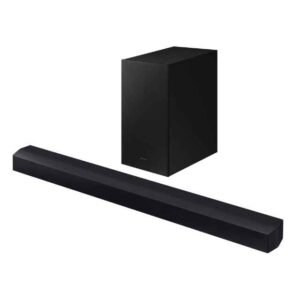
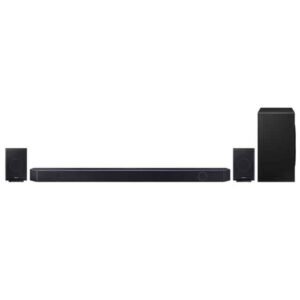
Looking to upgrade your TV audio without building a full home-theatre? Samsung Sound Bars give you a clean setup, punchy bass, and clear dialogue with smart features that work great with Samsung TVs (and perfectly fine with most other brands). On this page, you’ll find a practical guide to the latest Samsung Q Series soundbars—including popular choices shoppers ask about in Karachi and across Pakistan such as Q990D, Q800D, and Q700D—plus plain-English tips for room sizes, Dolby Atmos, Q-Symphony, HDMI eARC, and what influences a realistic Samsung soundbar price in Pakistan. Prices, availability, and bundles can vary, so we’ll explain how to confirm live details before you order or visit our Saddar store. You can also browse our latest listings here: Samsung Sound Bars.
Whether you’re pairing with a Samsung Neo QLED for Q-Symphony or just want a compact bar for a bedroom, this guide keeps things simple: pick the right channel layout for your room, connect with the right cable, and set expectations for Atmos in local homes (tile ceilings, open-plan lounges, and UPS/inverter realities). Let’s get you to the right short-list.
Shop by Series & Channel Layout
Q Series overview (Q990D, Q800D, Q700D)
The Samsung Q Series is the brand’s performance line. In plain terms, it adds more speaker channels, smarter processing, and better synergy with Samsung TVs. Here’s how to think about the three models Pakistani shoppers ask for most:
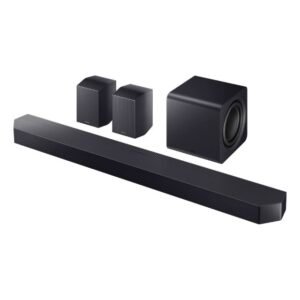
Q990D (flagship): Designed for large lounges and movie lovers who want room-filling surround without a separate AV receiver. You typically get a main bar, a wireless subwoofer, and wireless rear speakers for wraparound effects. Expect Dolby Atmos support and Samsung’s premium processing modes for clearer voices and bigger action scenes. It’s the bar you shortlist if you’re serious about cinematic sound and you want the “everything included” feel.
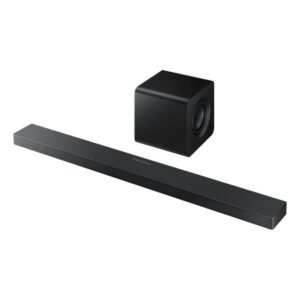
Q800D (upper-mid): A sweet spot for most homes that don’t need separate rear speakers out of the box. It’s slimmer, easier to place, and still supports Atmos with strong dialogue handling. Many buyers pair it with mid-to-large Samsung LEDs for a tidy living-room upgrade. If you later crave more immersion, you can usually add rear speakers sold separately (availability varies).
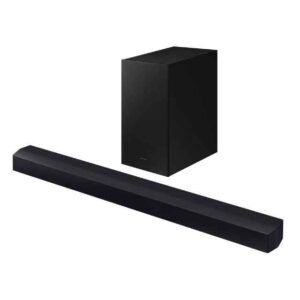
Q700D (value in the Q line): A great way to step into Atmos and Q-Symphony without stretching the budget. It focuses on clarity and a meaningful upgrade over TV speakers while keeping placement simple. Ideal for apartments or bedrooms where you want impact and speech intelligibility without a complex setup.
Who should pick which? Pick Q990D when you want as much immersion as possible in a single purchase and you have the space for rears. Pick Q800D if you want premium clarity and Atmos in a simplified setup (with the option to expand later). Pick Q700D if you’re price-sensitive but still want Samsung’s tuning, Atmos formats, and a noticeable step-up from the TV’s built-ins. Notes: Exact channel counts, rear-kit inclusion, and feature lists can vary by batch/region. Always check the specific product page for what’s in the box and current availability.
S Series / entry options
Samsung’s S Series (and other compact entries) aim for smaller spaces, slimmer furniture, and a lower total cost. They’re purposely simple: fewer channels, lighter bars, and quick-start pairing. For many city apartments in Karachi, Lahore, or Islamabad, these can be “just right” when you sit relatively close to the TV and prefer a low-profile look.
What you trade off versus Q Series is scale and “bubble” size—the feeling of audio surrounding you. If you’re mostly watching dramas, cricket highlights, YouTube, or late-night Netflix at moderate volumes, a compact Samsung sound bar with or without a subwoofer may be all you need. Where possible, choose a bundle with a wireless subwoofer—bass carries the excitement in action scenes and makes even casual viewing feel fuller at lower volumes. Availability tip: Entry models rotate more often and can sell quickly during promo periods. If you have a specific size/price in mind, it helps to check the current product listings or call ahead.
Channel explainer: 2.1 vs 3.1.2 vs 11.1.4 (what the numbers mean)
Soundbar “channels” look confusing, but the pattern is simple: the first number (e.g., 2 in 2.1) is the count of main channels inside the bar itself—left/right for stereo, plus a center channel in 3.x bars (great for dialogue). The “.1” means a subwoofer is included; that’s your bass. The last number (e.g., “.2” in 3.1.2) usually refers to up-firing height channels used by Dolby Atmos and similar formats to bounce sound off your ceiling for a sense of height.
How to match channels to real Pakistani rooms: 2.1 is ideal for compact rooms, wall-mounted TVs in bedrooms, or if budget is your priority—you’ll enjoy better bass and cleaner speech than TV speakers, but surround “movement” will be limited. 3.1.2 is the sweet spot for many lounges (think ~10×12 ft up to ~12×16 ft). The center channel improves dialogues in news/dramas, and the “.2” height channels add vertical effects in compatible content. 9.x/11.x with rears serve bigger rooms, open plans, or anyone who wants proper rear activity during movies and sports ambience.
Practical expectation setting: Up-firing speakers rely on your ceiling to reflect sound. Flat, not-too-high ceilings help more than open stairwells, fans, or very absorbent surfaces. You still get a wider, taller soundstage than TV speakers, but true cinema-style immersion benefits most from having rears and a subwoofer placed correctly.
Top Picks by Room & Use
Best for 10×12 ft lounge (popular PK size)
If you’re sitting 7–9 feet from the TV in a typical 10×12 ft lounge, a 3.1.2 layout is the best balance of clarity, bass, and Atmos height cues without crowding your space. The dedicated center channel locks vocals to the screen so dialogues sound natural even at lower volumes (helpful during late-night viewing or with kids asleep). Pairing with a wireless sub lets you enjoy impactful cricket crowd noise and movie soundtracks without rattling the entire house.
For owners of mid-range Samsung LEDs, you’ll also benefit from Q-Symphony, which lets compatible TVs coordinate with the soundbar so the TV speakers support the front stage. It’s handy in medium rooms where every bit of projection helps. If you upgrade later to a bigger room, most 3.1.2 bars can be complemented by optional rears (where available). For more choices across brands, you can also browse all sound bars.
Best for apartments / late-night listening
In apartments with neighbors or shared walls, look for Night Mode and Adaptive Sound (feature names vary). Night Mode compresses loud spikes—so explosions don’t jump while voices remain audible. Adaptive processing can bring out speech detail at lower volumes, helpful when fans or city noise compete with the TV.
A compact 2.1 or 3.1 Samsung soundbar with a wireless sub placed near a wall often feels fuller at modest volume than larger bars starved of space. If your apartment has reflective tile floors and bare walls (common locally), adding a rug or curtains can clean up echo so the soundbar sounds more premium without spending more.
Best for Samsung Neo QLED owners (Q-Symphony synergy)
If you already have a compatible Samsung TV, Q-Symphony is worth considering. It coordinates the TV speakers and the bar to expand the front stage. You still connect the bar via HDMI eARC/ARC or optical, but the TV and bar work together to place voices more precisely and “push” sound wider.
In bigger rooms or if you sit farther back, the combination of a Q Series bar plus Q-Symphony often makes voices seem anchored and effects more spacious. If you’re deciding between two bars, and one supports more advanced Q-Symphony features with your specific TV model, that can be the tiebreaker—especially if you watch a lot of sports and films. Explore compatible displays here: Samsung LED TVs.
Dolby Atmos & DTS:X — What to Expect at Home
Wireless Atmos vs HDMI eARC (what’s actually “wireless”?)
“Wireless Dolby Atmos” usually refers to how the TV transmits audio to the soundbar without an HDMI cable—often over Wi‑Fi using the TV’s built-in wireless audio protocol. It’s tidy for wall-mounted setups and reduces cable clutter, which is a big win in tight living rooms. However, wireless links can be sensitive to Wi‑Fi congestion, distance, and wall materials. If your router is far away or there are many devices (phones, smart plugs, cameras) crowding the 2.4/5 GHz bands, you may notice occasional dropouts or audio delay.
For the most stable, highest-bandwidth path, connect the soundbar to the TV via HDMI eARC (or ARC if eARC isn’t available). eARC can carry richer audio than optical, keeps lip-sync aligned, and tends to be “set-and-forget.” You can still keep Wi‑Fi enabled for app control, updates, or streaming music, while routing TV sound over the HDMI cable. If you want a clutter-free look, a short, good-quality HDMI cable hidden along the mount channel is a smart compromise that saves headaches later.
Ceiling height & room shape tips (for Atmos realism)
Up-firing Atmos speakers bounce sound off the ceiling to create height effects, so your room’s shape matters. Flat, not-too-high ceilings (roughly 2.7–3.0 m common in many PK homes) give the speakers a predictable reflection path, which makes rain, helicopters, and ambience feel like they’re above you. Very high ceilings, sloped designs, exposed beams, or open staircases reduce the bounce effect, so the height layer may feel subtler. If your lounge opens into a corridor or drawing room, try angling the bar slightly and seating positions for a tighter triangle with the TV.
Hard surfaces (tile floors, concrete walls, glass) can over-reflect mids/highs and mask details. Adding a rug or thicker curtains tames the room and lets the soundbar’s tuning shine—an inexpensive upgrade that’s easy to implement in Karachi/Lahore apartments. Place the subwoofer near a wall or in a front corner to reinforce bass; if it sounds boomy or one-note, move it 20–30 cm at a time until dialogues sound clean and bass hits without drowning voices. In larger lounges, rear speakers (included with some models or sold separately) dramatically increase the sense of a wraparound “bubble,” which front-only bars can’t fully replicate.
Router/Power realities in Pakistan (for smoother day-to-day use)
Pakistani homes often deal with load-shedding and voltage fluctuations. To keep your Samsung soundbar and subwoofer happy, consider running them on the same backup circuit if you use a UPS or inverter; this prevents one unit dropping while the other stays on, which can cause re-pairing delays or pops. A basic surge protector is a wise investment, particularly in monsoon months or in areas with unstable mains. If you rely on a UPS, avoid running the subwoofer at maximum volume for long stretches—bass draws more power and can drain smaller systems faster.
For Wi‑Fi stability, place your router reasonably close to the TV wall and away from microwaves or heavy appliances. If your apartment’s router is in a far bedroom, a mesh node near the lounge can eliminate buffering or dropouts for wireless Atmos or streaming music. Remember that Bluetooth is convenient for quick music playback from phones, but it’s more compressed and can have tiny delays; keep Bluetooth for casual listening and use HDMI eARC for movies and shows. As you add smart devices (cameras, AC controls), revisit your router’s channel settings or upgrade to dual-band/mesh to keep the audio link clean and predictable.
Prices in Pakistan & What Affects Them
Typical price bands (no fixed prices)
When researching a Samsung soundbar price in Pakistan, expect movement rather than fixed tags. Exchange-rate swings, import duties, and shipping costs can nudge prices up or down during the year. Seasonal promotions—Ramadan/Eid sales, back-to-school, or 11.11/12.12 events—may bundle freebies or offer short-term discounts, while off-season months can be quieter. Stock position also matters; when a model is scarce, resellers rarely discount, but when inventory is healthy, you’ll often see sharper deals. Because of these variables, treat online numbers as a guide and confirm live pricing before you plan a store visit.
Think in bands, not exact figures: flagship kits with rear speakers and big subs sit at the top band; mid-tier Atmos bars with fewer channels occupy the mid band; compact 2.1 and 3.1 bars make up the entry band. A useful approach is to shortlist two or three models per band that meet your room and feature needs. This way, if one model is temporarily out of stock or jumps in price, you can pivot without sacrificing essentials like HDMI eARC, a center channel, or Q-Symphony support. If you’re value-driven, focus on last year’s Q Series carryovers—performance is often very close to the new line with better pricing.
What’s included (bundles, cables, and add-ons)
Before you compare numbers, read the “what’s in the box” section on the product page. Some Q Series bars include rear speakers by default; others sell rears separately as a “surround kit.” A wireless subwoofer is common, but compact models may have a smaller driver or, rarely, skip the sub at entry price points. Mounting hardware and HDMI cables also vary by batch; if a cable isn’t included, budget for a certified high-speed HDMI lead (especially if you plan to pass high-bandwidth formats over eARC).
If you’re weighing an upgrade path, check whether the bar supports optional rears and which kit model is compatible. That way, you can start with a 3.1.2 bar and expand to full surround later without replacing the core unit. Bundles can be excellent value during promotions—e.g., a bar plus rears—or when paired with a Samsung TV for a Q-Symphony combo deal. If a promo is live, ask whether the warranty and return terms stay the same as on non-promo units; they usually do, but it’s good to confirm.
Warranty & support (how to verify)
Samsung soundbars typically carry a manufacturer or authorized-importer warranty in Pakistan, but terms can vary by model year and channel. When you’re comparing offers, verify warranty duration and where service is handled (brand service center vs. partner). Keep your purchase invoice and the bar’s serial number handy; they’re required for warranty claims. If you’re buying for an office or café, consider registering the product immediately after installation to avoid missing windows for support.
For quick help, you can reach Emirates Electronics by phone at 0339 2009000 or visit Office No 206, 2nd Floor, Seema Electronics Centre, Abdullah Haroon Road, Saddar, Karachi. If you’re unsure about compatibility (e.g., your TV only has optical or basic ARC), call ahead with your exact TV model number. A five-minute confirmation can save you a return trip and ensures you walk out with the right cable and settings.
Connectivity & Setup (Plain-English)
Q-Symphony explained (when to use it, when to skip it)
Q-Symphony lets compatible Samsung TVs and Samsung soundbars play together, synchronizing the TV’s built-in speakers with the bar to widen the front soundstage. You still connect the soundbar via HDMI eARC/ARC or optical; the TV handles the coordination. The result is a bit more “fill” in the front and crisper dialogue anchoring, especially useful in medium rooms where every bit of projection helps. If you already sit slightly off-axis from the TV, Q-Symphony can improve speech intelligibility without raising the volume.
However, Q-Symphony isn’t mandatory. In some rooms—particularly small bedrooms where you sit close—the bar alone already sounds focused and clean. If you notice tonal mismatch (e.g., TV speakers are bright while the bar is warm), you can toggle Q-Symphony off in the TV’s audio settings and compare. Use whichever sounds most natural for voices at your seating distance. Remember that Q-Symphony support varies by TV and bar generation, so check your specific models for compatibility details.
HDMI eARC vs ARC vs Optical (which to use and why)
If your TV and bar support it, HDMI eARC is the best all-round choice. eARC carries higher-bandwidth audio (including uncompressed PCM and Dolby TrueHD/Atmos from compatible sources), preserves lip-sync more reliably, and simplifies control (power/volume via HDMI-CEC). ARC—the older standard—can still carry Dolby Atmos in Dolby Digital Plus from many streaming apps, but it has tighter bandwidth limits and can be less robust across brands. Optical is the fallback: stable and widely compatible, but it doesn’t carry Atmos metadata and won’t handle high-bitrate formats.
For gaming, check your bar’s HDMI passthrough specs. Many soundbars do not pass 4K/120, VRR, or ALLM cleanly. A clean setup is: plug your console(s) directly into the TV’s high-bandwidth HDMI ports, then use eARC from TV to bar for audio. This way you get gaming features on the TV without compromising audio quality on the bar. If your TV lacks eARC, ARC may still deliver Atmos from apps (via DD+), but for disc players/Blu-ray TrueHD Atmos, eARC is strongly preferred.
Bluetooth & Wi‑Fi streaming (quick pairing tips)
Bluetooth is brilliant for casual music—tap, connect, play. To minimize hiccups, put your phone within a few meters and avoid standing between the phone and bar. If you find latency distracting (e.g., when watching videos from your phone), test Wi‑Fi casting or use the TV’s native apps instead; both routes usually keep audio in tighter sync. For multi-user homes, remind family members to disconnect when they leave the room so the bar doesn’t auto-switch inputs unexpectedly.
Wi‑Fi streaming (via TV apps or supported casting) is the step up for quality and convenience. It uses your home network’s bandwidth and typically supports higher bitrates than Bluetooth. If you experience dropouts during wireless Atmos, move your router or add a mesh node closer to the lounge. As a best practice, connect the bar to the TV over HDMI eARC for TV audio, and keep Wi‑Fi enabled only for updates and music casting; this hybrid approach gives you stability for films while preserving wireless convenience for music.
Placement & wall mounting (small tweaks, big gains)
Center the bar directly under the TV, with the front drivers unobstructed by the TV stand. If your bar has up-firing speakers, avoid shelves or ledges immediately above the bar—they block height effects. Leave a few centimeters of clearance on top so sound can project freely. For wall mounting, follow the included template and ensure the bar sits close to the TV’s bottom edge; keeping audio and image tight improves immersion. If children or pets roam, wall mounting also reduces the chance of knocks.
For the subwoofer, start near the front wall, slightly offset from the room’s center line. Play a bass-rich scene and move the sub in small increments (20–30 cm) listening for a spot where bass sounds deep but doesn’t blur voices. If your kit includes rear speakers, position them behind your seating at roughly ear height, angled toward the sofa. In rooms with hard floors and bare walls (common locally), adding a rug and a curtain behind the seating can dramatically improve clarity and reduce slap echo—often more effective than chasing a bigger bar.
Model Highlights (Quick Compare)
Samsung Q990D vs Q800D vs Q700D
All three are part of Samsung’s performance-focused Q Series, but they scale in immersion and hardware. The Q990D is for large lounges and enthusiasts who want rear speakers included and the fullest surround field from day one. Voices lock to the screen while effects move convincingly around you, creating a cinematic bubble that front-only bars cannot match. It’s also the easiest way to get a “complete” package without juggling optional extras.
The Q800D targets households that want premium clarity, Atmos height effects, and tidy placement without mandatory rears. It’s slimmer and simpler to set up, with an upgrade path to add rears if you decide later that you want more immersion. The Q700D focuses on value: it delivers a real step up from TV audio, supports Atmos, and keeps cabling/placement straightforward. For typical apartments or bedrooms in Pakistan, Q700D hits a sweet balance of speech clarity, bass presence, and price-conscious practicality.
Feature glossary (quick decoder)
Dolby Atmos / DTS:X: Object-based audio formats that position sound in three dimensions. On a soundbar, they rely on smart processing and up-firing drivers to simulate height. You’ll hear rain, aircraft, and ambience feeling higher and wider than stereo. Q‑Symphony: Samsung’s feature that coordinates the TV’s speakers with the soundbar to enlarge the front soundstage—useful in medium rooms or off-axis seating. HDMI eARC: The preferred cable link from TV to bar for maximum audio quality, reliable lip-sync, and simple control.
Space/Room tuning (names vary): Auto-calibration features that adapt bass and mids to your room. Adaptive Sound / Voice Amp: Processing modes that lift dialogue in noisy rooms or at low volume. Game Mode: Presets designed to emphasize positional cues while minimizing latency. Rear Surround Kits: Optional speakers that add unmistakable “from behind” effects—transformative in larger lounges. Exact feature names and availability vary by model year; always check the current product listing for what’s included.

 Home Appliances, Home Products, Samsung Sound Bars, Sound Bars
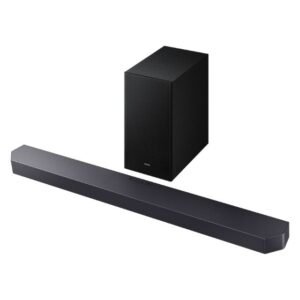 Home Appliances, Samsung Sound Bars, Sound Bars